
Included in your Portal · 7 steps
The homes you choose.
A website to share them.
Create a presentation with photos, floor plans and your contact information. Follow the flow with 29 Trafalgar and 212 Kismet.
Actual screenshots from the test Portal. Public sample properties; fictional Realtor and recipient. Screenshots are in Spanish.
Open My presentations →- Open My presentations
- Prepare the presentation details
- Choose homes and add your recommendation
- Save and review
- Create and share the web link
- See what your buyer receives
- Update or deactivate when needed
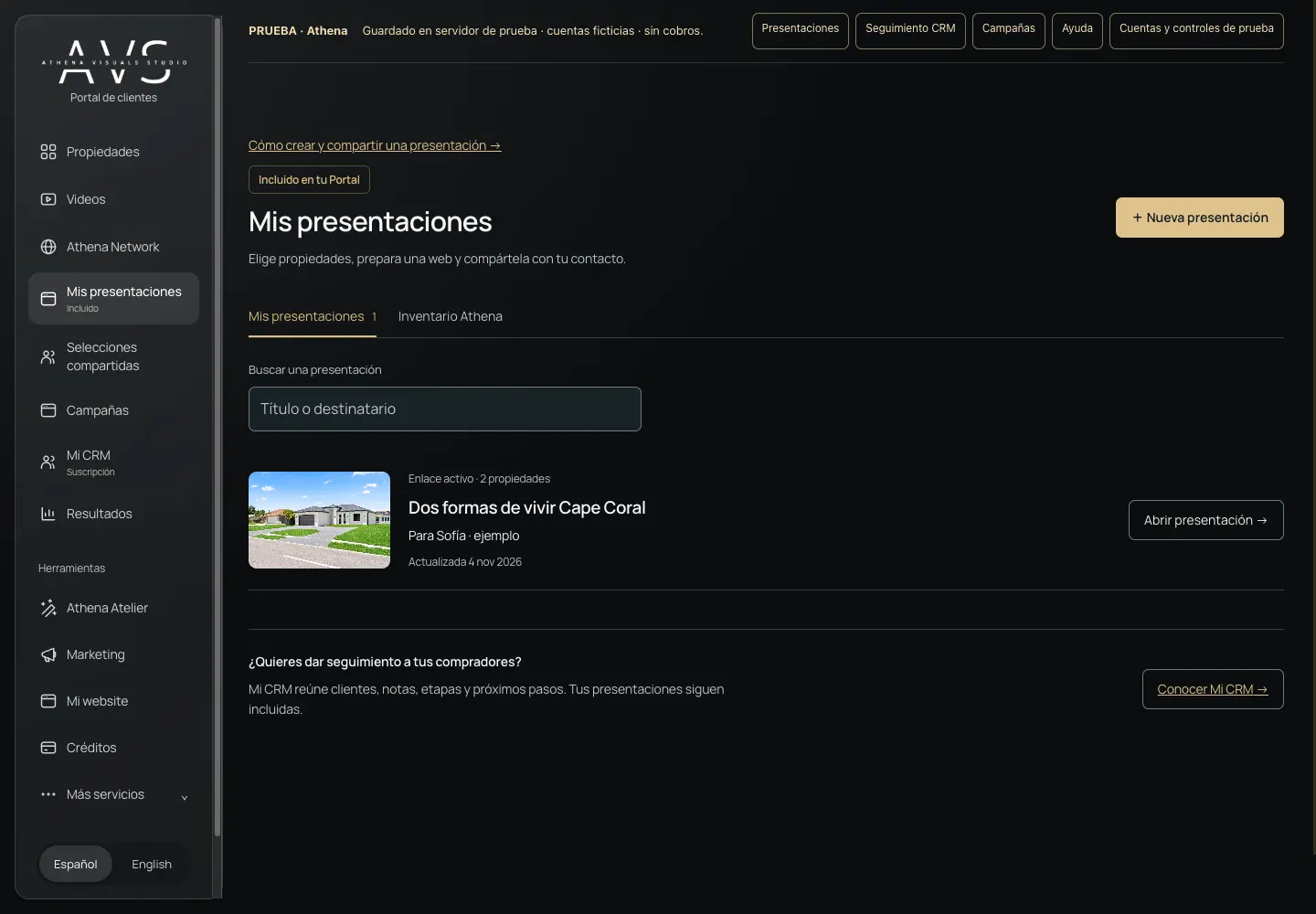
Open My presentations
In the Portal menu, open My presentations and choose New presentation. It is included in your Portal; a My CRM subscription is not required.
Prepare the presentation details
Enter a title and recipient name. Email and phone are optional. These details stay in your Portal; they do not appear on the buyer website or create a CRM contact. Your welcome message is public.
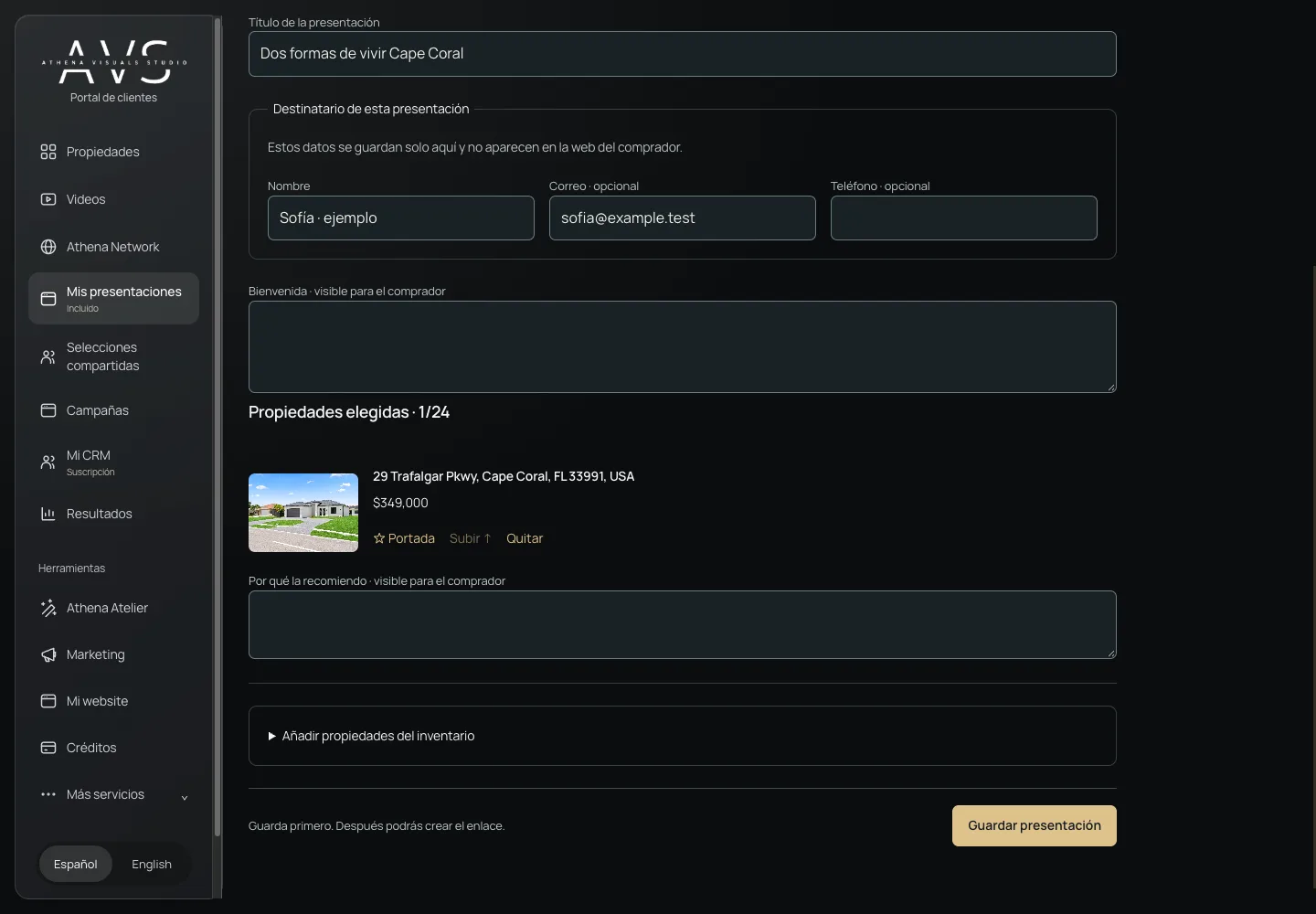
Choose homes and add your recommendation
Expand Add homes from inventory and choose Add for each property. Select a cover, change the order and explain your recommendation. This example uses 29 Trafalgar and 212 Kismet.
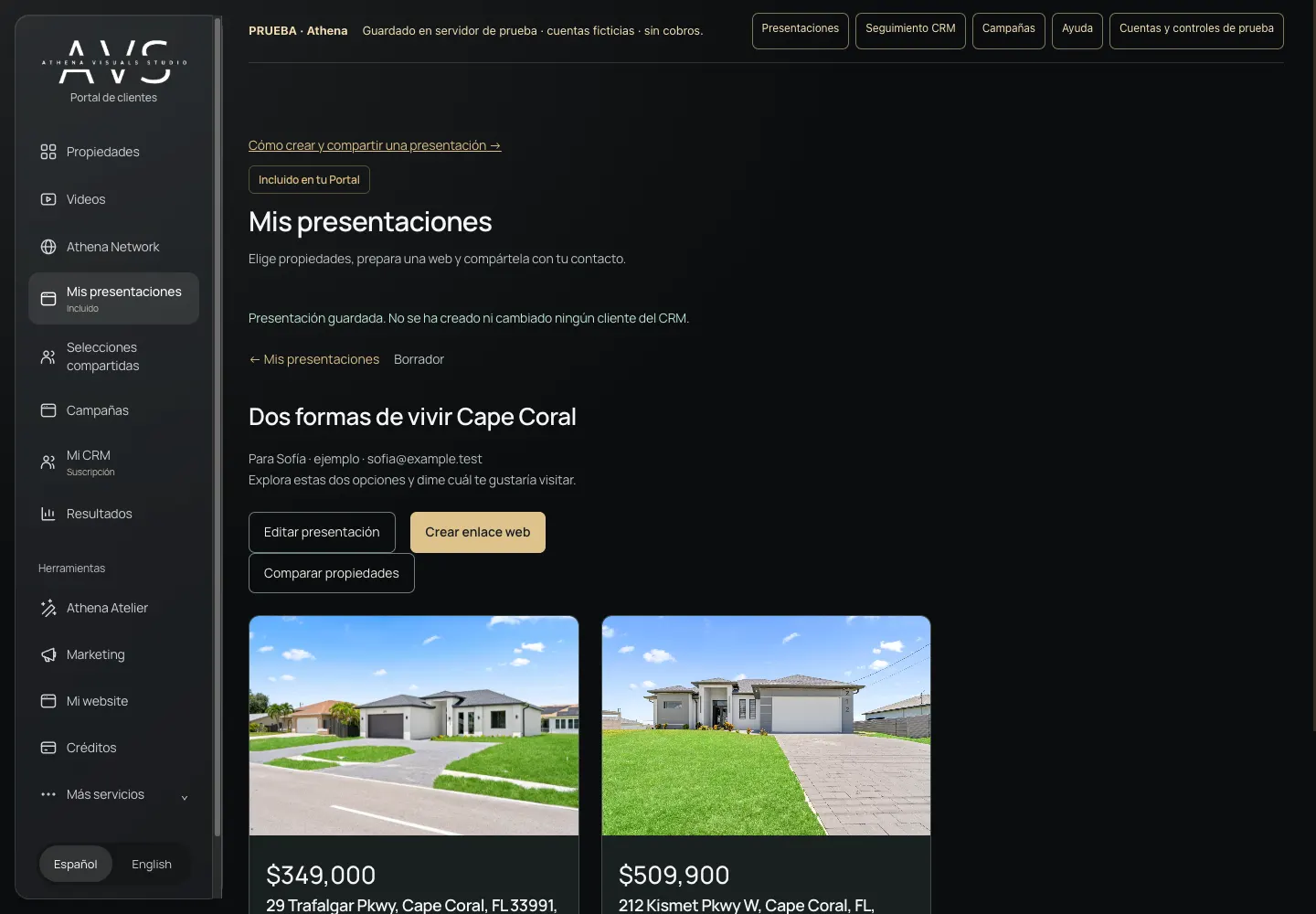
Save and review
Choose Save presentation. Check the title, homes and your recommendations. Use Photos and floor plan and Compare homes to review the material before sharing.
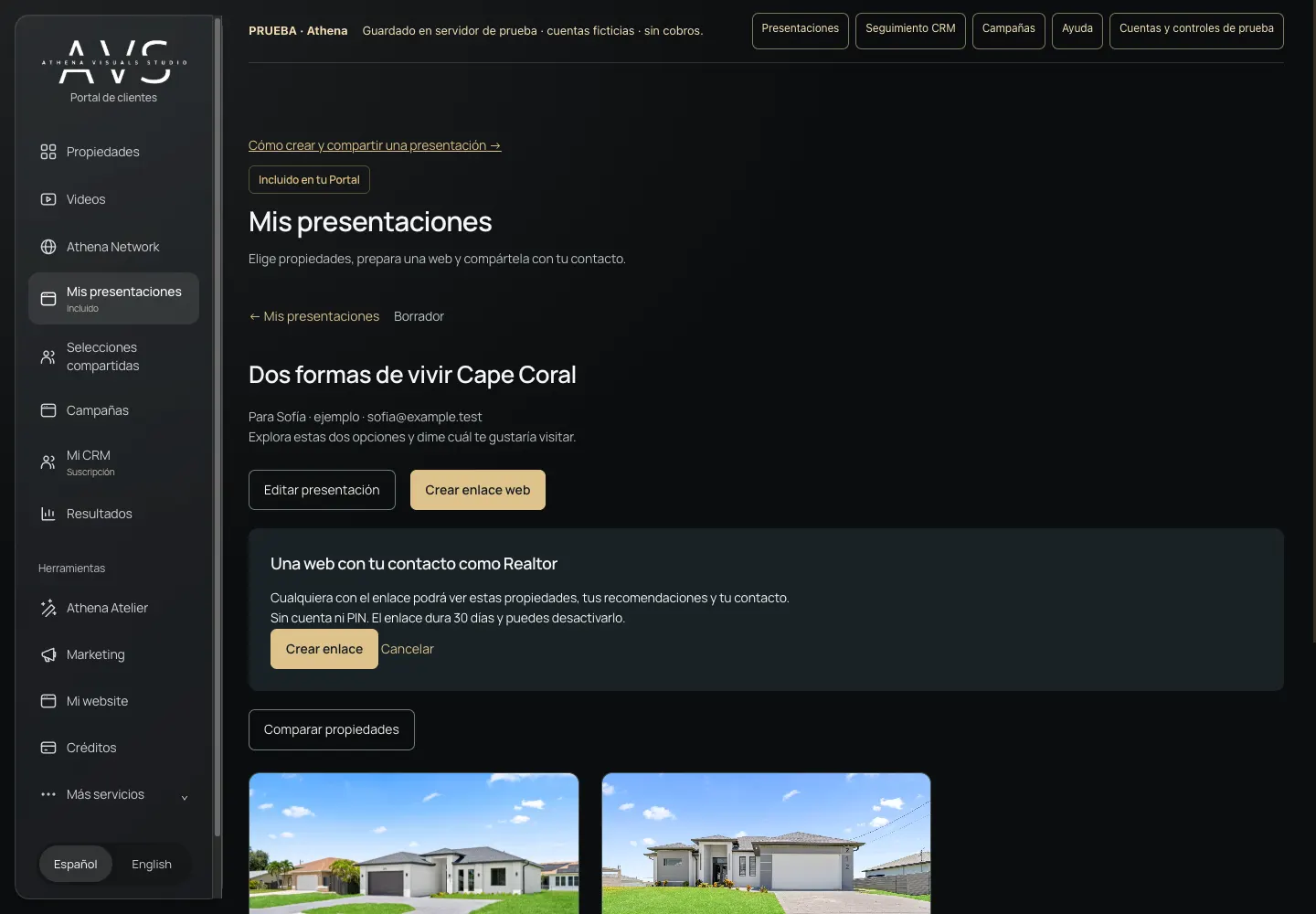
Create and share the web link
Choose Create web link and confirm Create link. Then open View as buyer or Copy link and paste it into your preferred communication channel. Copying does not send a message. Anyone who receives it can view it without an account or PIN; it lasts 30 days.
See what your buyer receives
The website shows the selected homes, galleries, available floor plan and your Realtor contact information. It does not show the listing agent’s contact or private recipient details. Buyers can compare homes and contact you.
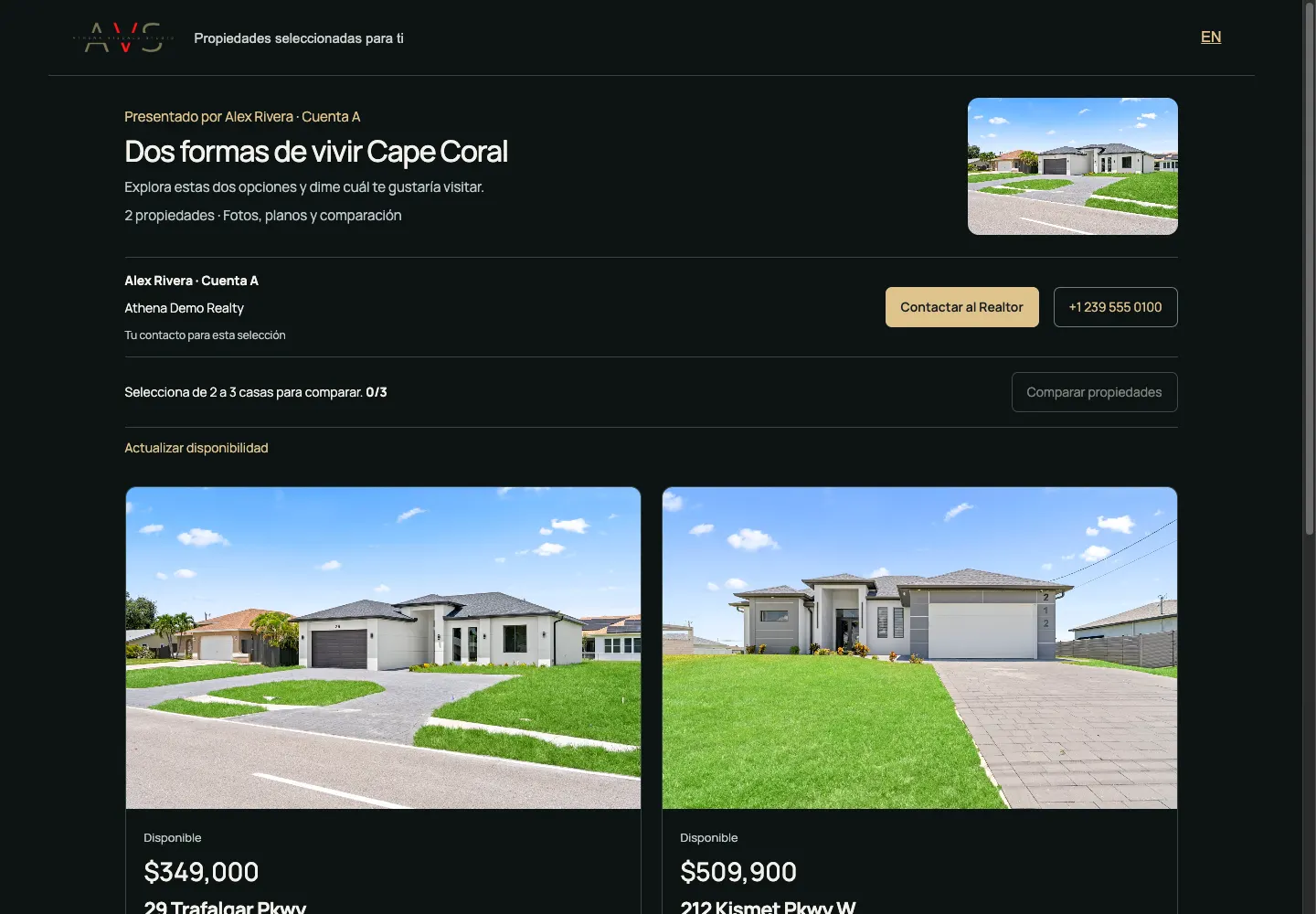
Update or deactivate when needed
Return to My presentations and open the presentation. Edit presentation keeps the active link. Deactivate link stops access for everyone, even with a saved URL. The saved presentation is retained; creating a new link does not reactivate the old one.
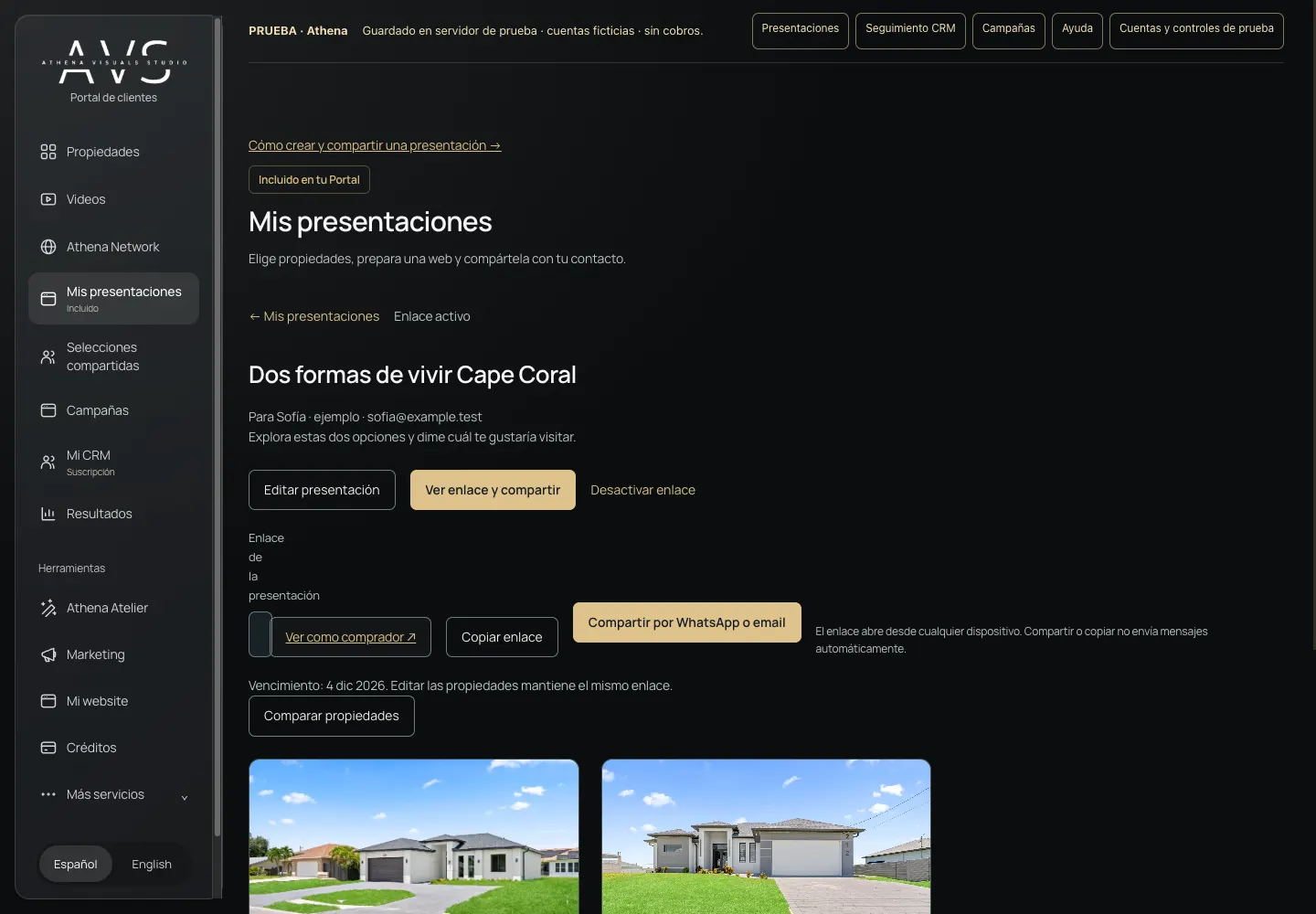
Optional · My CRM
Continue the conversation in your CRM
With CRM access, open Presentation follow-up, link an existing contact and enable activity and requests. Visitors choose whether to allow measurement of opens and views. An anonymous opening does not prove who viewed it. Questions and visit requests include only details the visitor provides; a request does not confirm an appointment. Create private tasks with dates and status.
Open CRM follow-up →Before sharing
Can the link be forwarded?
Yes. Anyone who receives the link can view it. Share only suitable content; never put private buyer information in the welcome message or recommendations.
Does the buyer need an Athena Network account?
No. The presentation is a separate experience with Athena Visuals Studio branding and your contact information.
What if a price changes or a home is sold?
The link reads current property information. Sold homes change status and withdrawn homes are removed. Review the selection before proposing a visit.